

Key takeaways
- On-screen marking replaces the physical movement of answer books with digitized scripts tracked through a chain of custody.
- Anonymous evaluation and multiple valuation passes help universities keep marking fair and consistent across large evaluator panels.
- AI can suggest marks, but the evaluator should always decide the final mark.
- The best OSM software connects marking to result processing and revaluation, so marks are never re-entered by hand.
- Before buying, ask vendors six questions about script tracking, anonymity, valuation rules, evaluator verification, AI governance and result records.
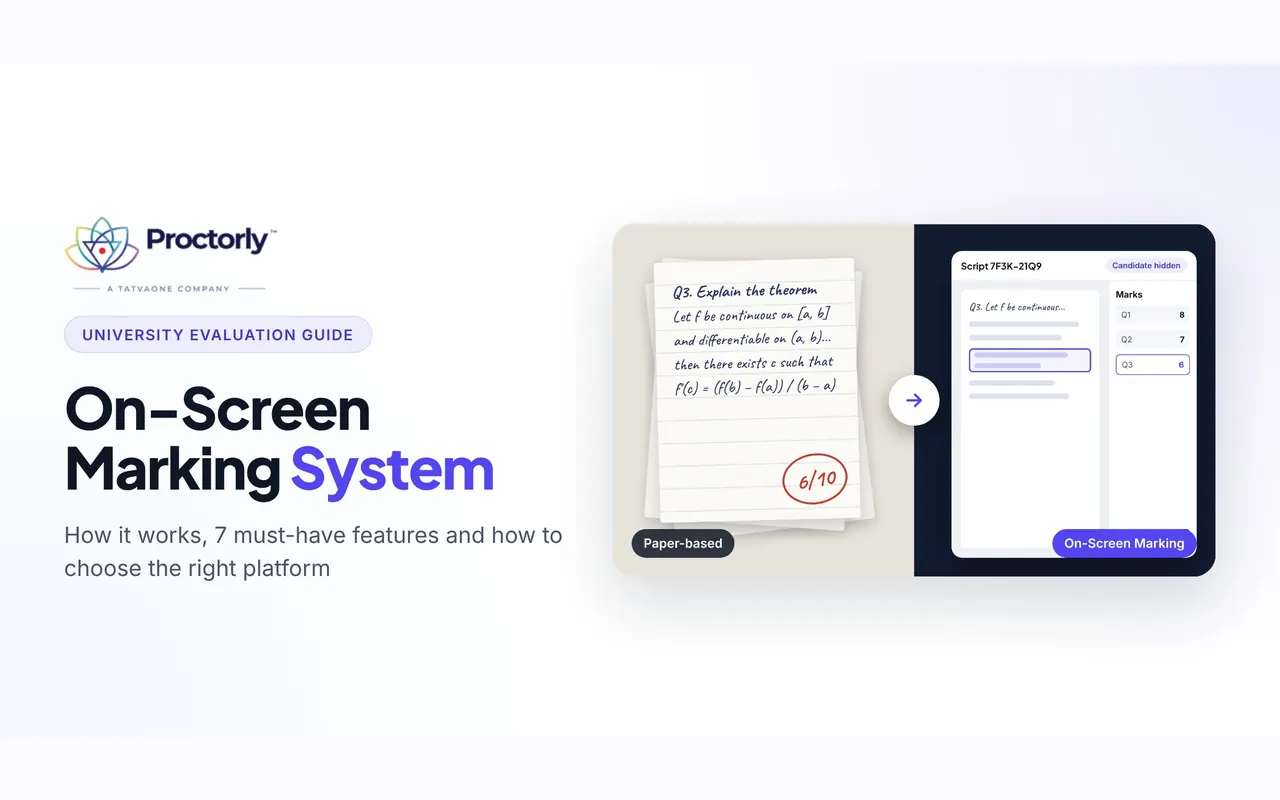
Every semester, a university examination department handles thousands of answer scripts. The books are collected and sent out to evaluators. Marks get added up, revaluation requests arrive, and someone has to find the original script again. An on-screen marking system moves all of that onto one digital platform, where evaluators mark scanned scripts and the system keeps the record.
Swapping paper for a screen is the easy part. The bigger change is a workflow where you can see who marked which script, when they marked it and what happened next.
This guide is written for controllers of examinations, registrars and academic leaders who are evaluating digital evaluation for their institution. It covers how on-screen marking works, the features that matter, where AI fits, how to roll it out and what to ask vendors.
Want to see it on a real answer script? Book a demo of Proctorly on-screen marking and walk through the workflow with our team.
What is an on-screen marking system?
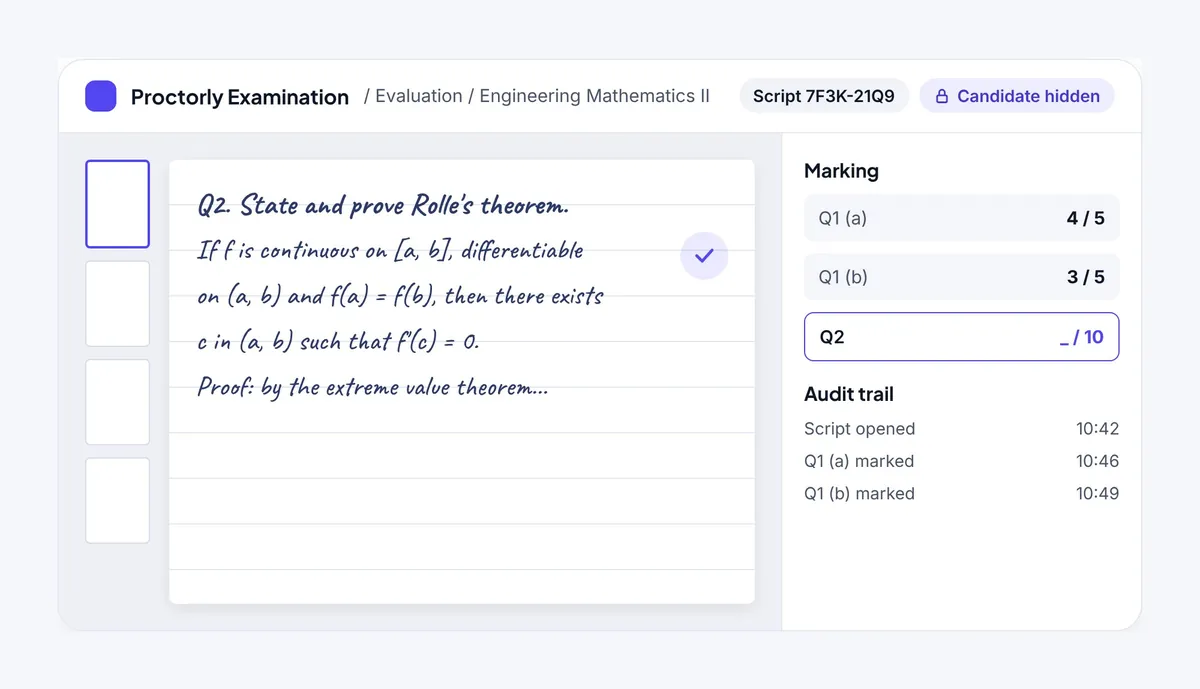
An on-screen marking system is a digital examination evaluation platform that lets examiners assess answer scripts electronically instead of handling paper answer books. Handwritten scripts are scanned and uploaded to a secure platform. Each examiner opens the scripts assigned to them, reads the answers on screen and enters marks in a structured interface.
On-screen marking is also called OSM, digital evaluation, onscreen evaluation or online answer sheet evaluation.
What an on-screen marking platform manages
A document viewer only shows pages. An OSM platform runs the evaluation itself, which usually covers:
- answer script digitization and tracking
- anonymous answer sheet evaluation
- evaluator allocation and verification
- multiple valuation and moderation
- digital mark entry and automatic calculation
- result processing and approval
- revaluation tracking and audit records
With all of this in one place, the examination department manages evaluation from a single system instead of paper registers and disconnected tools. On-screen marking is usually one part of a wider exam management system that also covers paper setting and exam delivery.
Why are universities moving to digital evaluation?
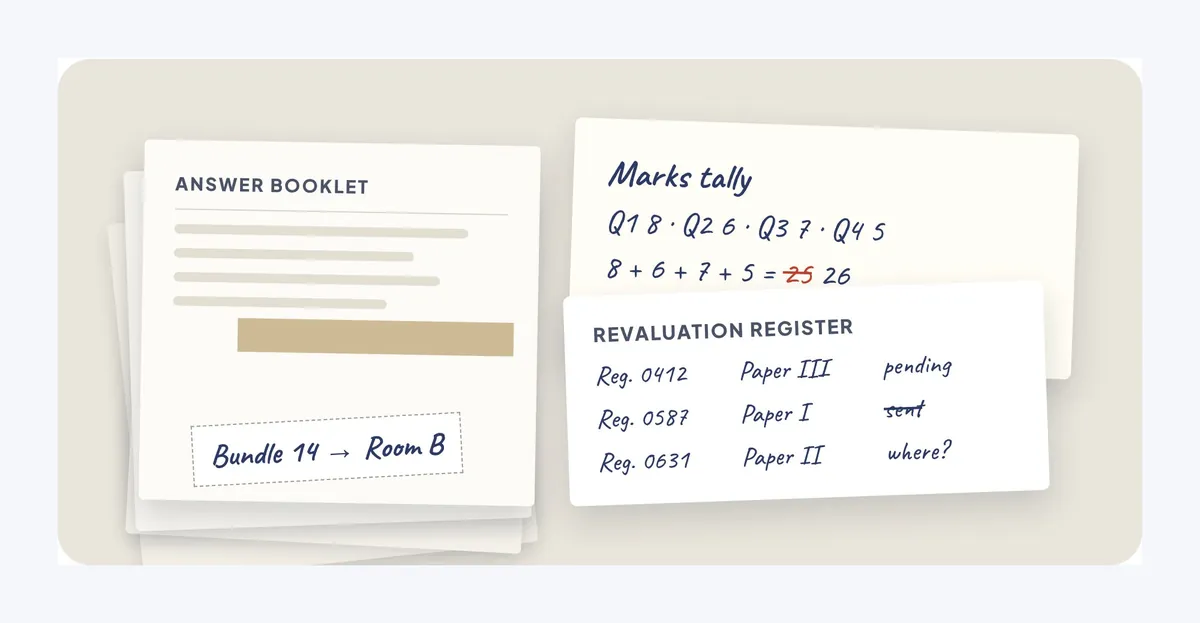
Universities are moving to digital evaluation because paper-based marking gets harder to control as exams spread across campuses, affiliated colleges and examination centres. These five problems come up most often.
1. Answer scripts have to travel
Answer books are collected, sorted, transported and handed out at evaluation centres. Every move needs coordination and a careful record of where each bundle is.
2. Marks are added up by hand
Totalling marks manually and copying them between records leaves room for calculation and data-entry errors.
3. Consistency is hard to check
When many evaluators mark the same paper, the institution needs a structured way to keep marking consistent and to spot cases where evaluators award very different marks.
4. Revaluation takes a lot of chasing
For each revaluation request, staff must find the original script, retrieve the earlier marks and arrange a fresh evaluation. Without a central record this takes up administrative time.
5. There is no clear evaluation history
On paper, it’s difficult to confirm who evaluated a script, when it was marked and whether an additional valuation was completed.
An on-screen marking system addresses each of these by keeping the whole evaluation in one traceable workflow.
How does an on-screen marking system work?
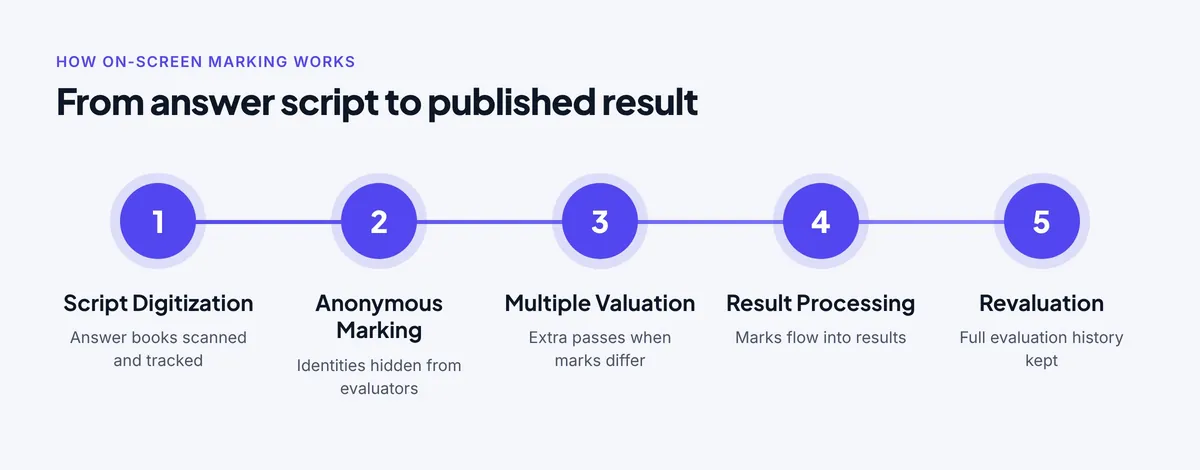
An on-screen marking system works in six steps:
- Digitize the answer scripts.
- Allocate scripts to evaluators with candidate identities hidden.
- Mark answers on screen.
- Run multiple valuation passes where needed.
- Process and approve results.
- Track revaluation and audit records.
Here’s what happens at each stage.
Before marking: getting scripts ready
Step 1: Digitize the answer scripts
Physical answer books are collected and scanned into electronic scripts. Each one is tracked through a chain-of-custody record, so the institution can account for it at every stage between collection and evaluation.
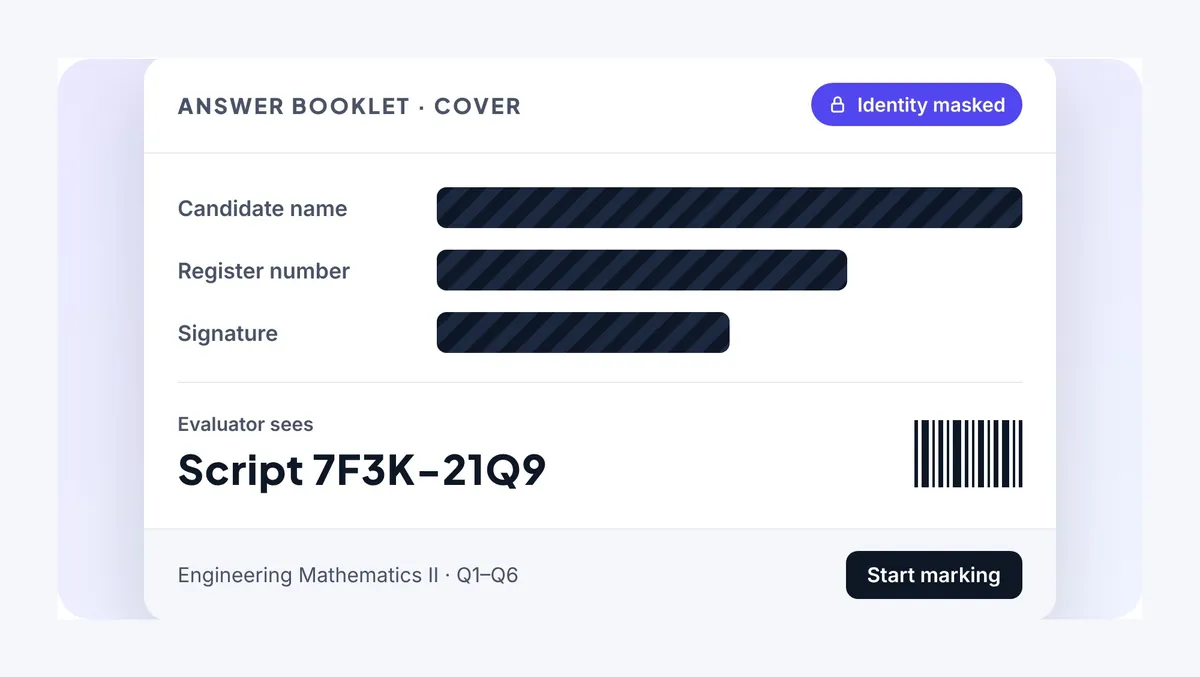
Step 2: Allocate scripts anonymously
The digitized scripts are assigned to evaluators with candidate identities hidden. Examiners see the answers, not the student, which supports impartial marking.
During marking: evaluation and checks
Step 3: Mark answers on screen
Evaluators open their assigned scripts in a digital marking interface, review each response and award marks without touching a paper answer book. A face check during marking can confirm that the person marking is the evaluator the script was assigned to.
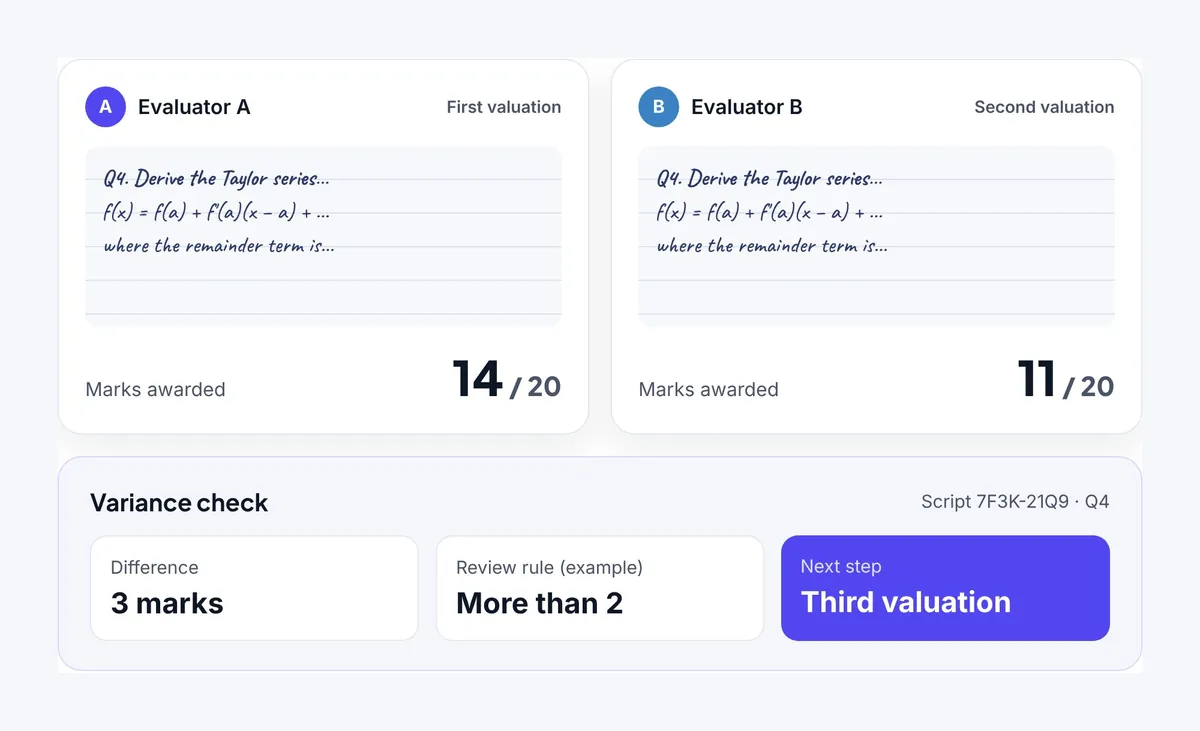
Step 4: Run multiple valuation passes
For exams that need extra checks, the institution can set up more than one valuation pass. Variance rules flag scripts where marks from different passes differ significantly and send them for further review. This keeps marking consistent even with large evaluator panels.
After marking: results and revaluation
Step 5: Process and approve results
Once marking is complete, marks flow straight into result processing. The platform can handle mark calculations, grading rules, SGPA and CGPA processing, exception handling, committee approvals and controlled result publication. Staff no longer export marks and re-enter them in a separate system.
Step 6: Track revaluation and audits
When a student asks for revaluation, the institution needs the original evaluation record. A digital platform tracks the request, the payment, the revised marks and the updated result, while keeping the original evaluation history intact. Examination departments and appeal committees get a clear trail to work from.
See all six steps in one session. Our team can walk you through script digitization, anonymous marking, multiple valuation and revaluation on Proctorly. Book your on-screen marking demo
7 must-have features of on-screen marking software
The seven features to look for in on-screen marking software are script tracking, anonymous evaluation, multiple valuation, AI mark suggestions under human control, evaluator verification, integrated results and a complete audit trail. Platforms vary a lot, so check each one on your shortlist.
1. Answer script digitization and chain of custody
The system should keep a traceable record of every answer script from collection through evaluation.
2. Anonymous digital evaluation
Candidate identities should be hidden from evaluators by default, so marking stays fair and impartial.
3. Multiple valuation and variance rules
Look for support for more than one evaluation pass, plus rules you can configure to flag significant differences between the marks awarded.
4. AI-assisted mark suggestions
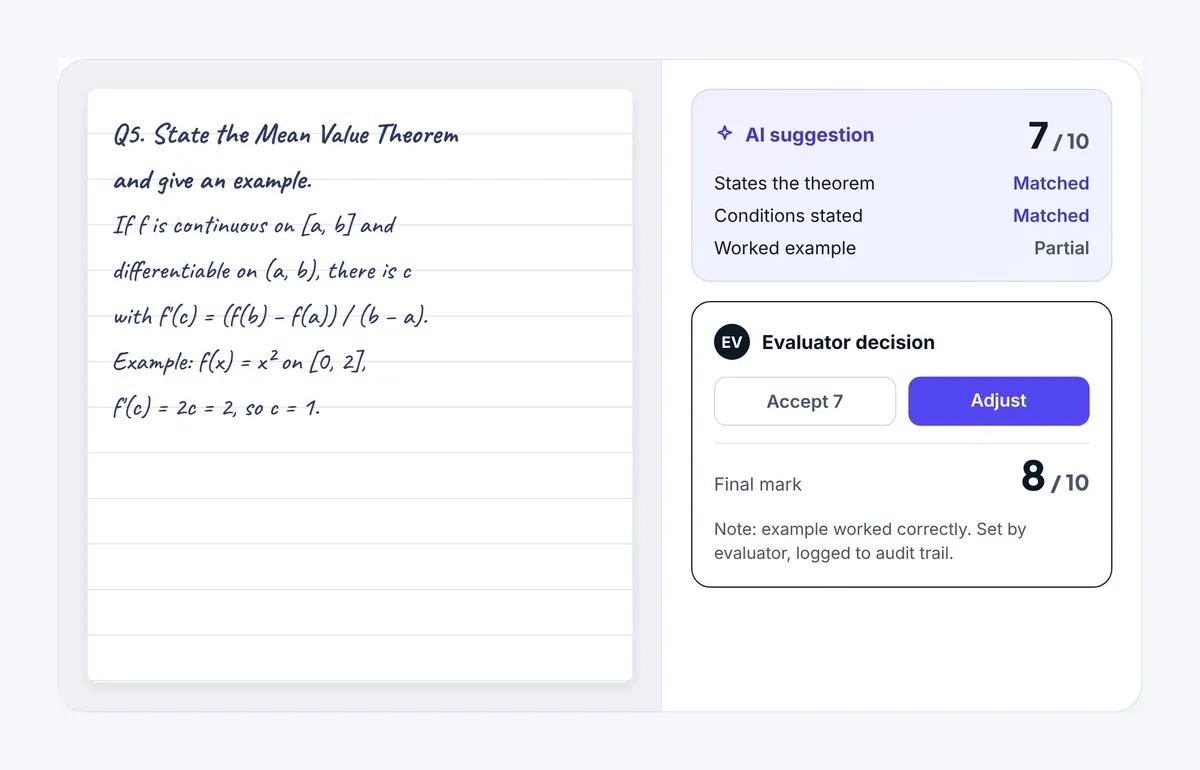
AI can suggest a mark for an answer to support the evaluator. The evaluator should still decide the final mark.
5. Evaluator identity verification
The institution should be able to confirm that the assigned evaluator is the person actually doing the marking.
6. Integrated result processing
Marks should feed directly into result processing, grading, approvals and publication.
7. Complete audit trail and revaluation history
Every significant action should be recorded, including marking activity, changes, approvals and revaluation decisions.
Together, these features turn a tool for viewing answer sheets into a structured examination evaluation system.
AI-assisted marking: why the evaluator keeps the final say
In on-screen marking, AI can suggest a mark for an answer based on the evaluation criteria the institution has configured. The evaluator reviews the suggestion and decides the final mark. Responsible AI marking keeps a human in charge: AI suggests, evaluators decide.
What AI does in digital evaluation
AI is starting to appear across examination management, including answer assessment and marking support. Its role in OSM is to give the evaluator a starting point, not to award marks on its own.
Three principles for responsible AI marking
Accountability
The assigned evaluator stays responsible for the final mark.
Fairness
A subject expert can still recognize an unusual answer that is valid and mark it accordingly.
Transparency
The institution keeps a clear record of each marking decision and who made it.
Universities should also be able to decide, exam by exam, whether AI mark suggestions are switched on at all. You can read how Proctorly approaches this on its responsible AI page.
On-screen marking vs paper-based evaluation
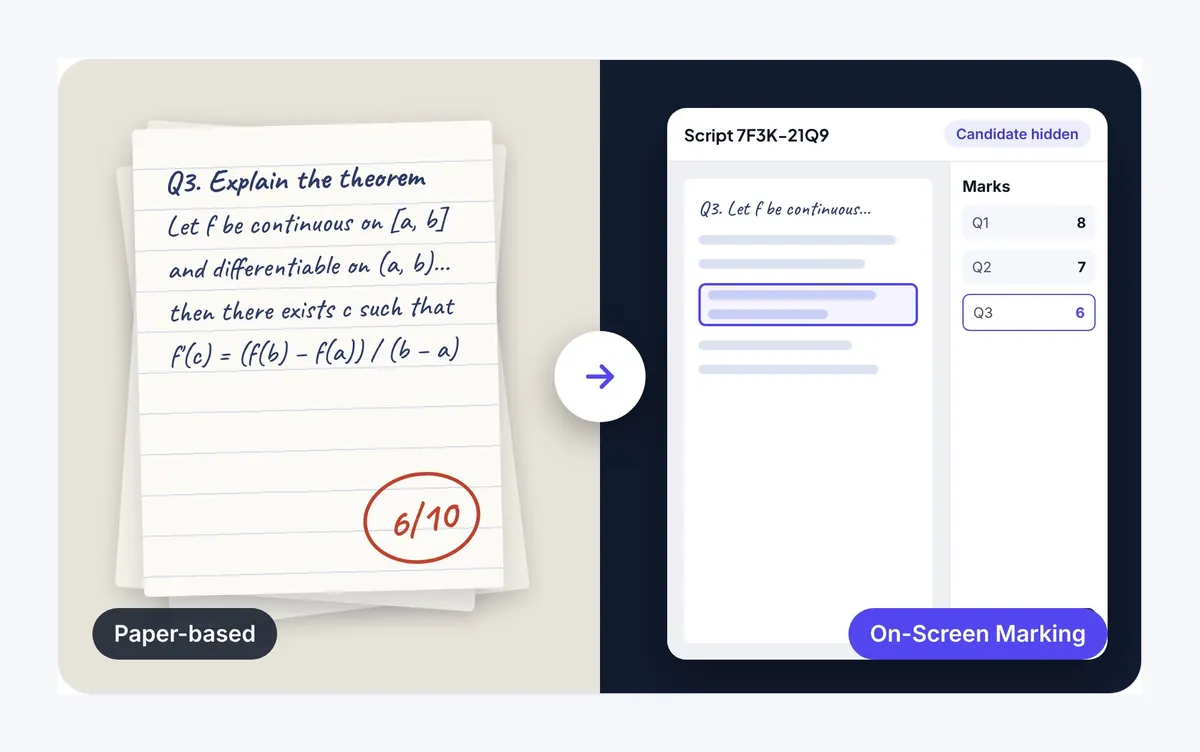
The main difference is that on-screen marking keeps every script, mark and decision in one digital record, while paper-based evaluation relies on physical books and manual coordination.
| Evaluation stage | Paper-based evaluation | On-screen marking |
|---|---|---|
| Answer scripts | Physical answer books | Digitized answer scripts |
| Marking | On paper | In a digital interface |
| Candidate anonymity | Relies on manual processes | Identity masking built in |
| Multiple valuation | Coordinated by hand | Configurable valuation passes |
| Mark calculation | Manual, or in a separate system | Integrated, automatic calculation |
| Revaluation | Staff retrieve physical records | Full digital evaluation history |
| Audit records | Paper documentation | Digital activity records |
Getting rid of paper is a side effect. What institutions gain is an evaluation process that is better organized and easier to hold to account.
On-screen marking for universities and colleges in India
Indian universities can use on-screen marking for semester exams, supplementary exams, entrance assessments and professional certification evaluations. Each comes with its own operational needs, and OSM gives the institution one consistent evaluation workflow across all its examination centres and evaluator panels.
CBSE on-screen marking has also drawn attention to digital answer sheet evaluation in India. Still, a university should start from its own requirements rather than assume every board or university uses the same model.
What Indian universities should consider
- integration with the existing examination management system
- support for affiliated colleges and multiple examination centres
- anonymous evaluation and evaluator allocation
- multiple valuation and moderation rules
- result processing and revaluation workflows
- data security, auditability and compliance with the DPDP Act
Whichever platform you choose should fit your examination regulations and evaluation policies. If you run university and semester exams at scale, test the platform against your own valuation rules before you commit.
How to roll out on-screen marking at your university
The smoothest rollouts start small and settle the rules before the first script is scanned. A practical sequence looks like this:
- Map your current evaluation workflow. Write down how scripts move today, who approves results and how revaluation is handled.
- Agree your valuation rules. Decide which exams need multiple valuation and what difference in marks should trigger a further review.
- Set an AI policy per exam. Choose where AI mark suggestions will be switched on and confirm that evaluators keep the final decision.
- Plan scanning and chain of custody. Decide where answer books are digitized and how each script is tracked from collection to evaluation.
- Prepare your evaluators. Walk examiners through the marking interface and the identity checks before live marking starts.
- Pilot one examination. Run a single exam end to end, from scanning to result publication, then review the audit records.
- Scale up. Extend to more programmes, colleges and examination centres once the pilot runs cleanly.
A demo is a good place to test steps 2 and 3 against your own regulations.
How to choose on-screen marking software: 6 questions to ask vendors
Judge an on-screen marking platform on the whole examination workflow, not only on how the marking screen looks. These six questions cover what matters most.
- Script tracking: Can the platform show chain of custody from answer book collection to evaluation?
- Anonymous marking: Are candidate identities hidden from evaluators?
- Valuation controls: Does it support multiple valuation passes with configurable variance rules?
- Evaluator verification: Can it verify the identity of the assigned evaluator?
- AI governance: If AI suggests marks, does the evaluator keep final authority?
- Results and revaluation: Are original marks, revised marks and result approvals kept in one connected record?
A platform that answers yes to all six gives your examination department clearer oversight of evaluation and a stronger record to stand behind.
Put Proctorly to the test. Bring these six questions to a live demo and see each answer on screen. Book a demo
Proctorly Examination: on-screen marking from script to result
Proctorly Examination is an on-screen marking and examination management platform for universities and colleges, built by TatvaOne.AI. It covers evaluation from script digitization through to result publication instead of treating marking as an isolated task.
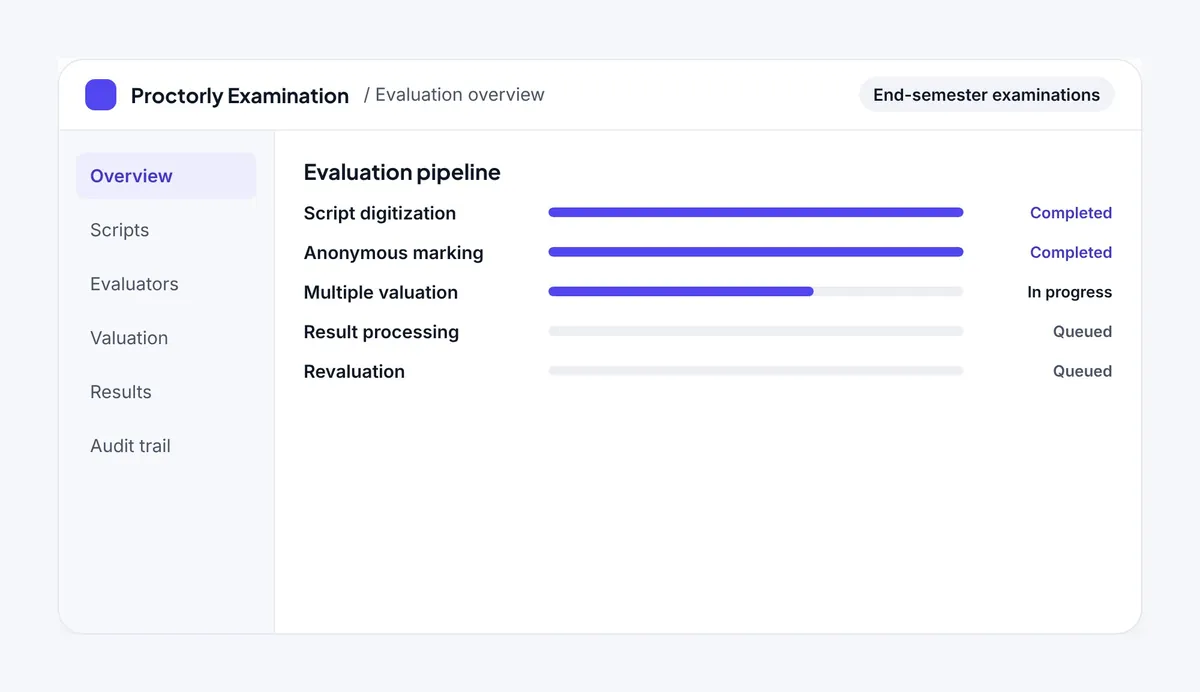
What Proctorly’s on-screen marking includes
- Script digitization: digitized answer scripts with chain-of-custody tracking
- Anonymous evaluation: candidate identities hidden during marking
- Multiple valuation: configurable evaluation passes and variance rules
- AI mark suggestions: AI-assisted suggestions, with the evaluator keeping final authority
- Evaluator face checks: identity verification during marking
- Integrated results: mark processing, grading rules, SGPA and CGPA, committee approval and controlled publication
- Revaluation management: tracking of original and revised marks
- Tamper-evident audit trail: a record of evaluation activity and decisions
Built for hybrid examinations
Proctorly also supports hybrid exams. Answers from online examinations and digitized hall scripts go through the same evaluation process, so exam delivery, marking and results run through connected workflows. It sits alongside Proctorly’s question bank and paper generator and online exam software. Details on data handling are in the Proctorly Trust Center.
See Proctorly on-screen marking with your own exam scenario. Book a demo and our team will take you from script upload to published result.
Glossary of on-screen marking terms
| Term | Meaning |
|---|---|
| On-screen marking (OSM) | Evaluating scanned answer scripts on a computer instead of on paper |
| Answer script digitization | Scanning handwritten answer books into electronic files for evaluation |
| Chain of custody | A record of every stage an answer script passes through, from collection to evaluation |
| Anonymous evaluation | Marking with the candidate’s name and identifying details hidden from the evaluator |
| Valuation pass | One complete evaluation of a script by an evaluator; some exams use two or more |
| Variance rule | A rule that flags a script for further review when marks from different passes differ beyond a set limit |
| Moderation | Review of marks to keep evaluation consistent across evaluators |
| Revaluation | A fresh evaluation of a script after a student requests it |
| SGPA and CGPA | Semester Grade Point Average and Cumulative Grade Point Average, calculated from a student’s grades |
| Audit trail | A time-stamped record of who did what during evaluation |
More definitions are in the Proctorly glossary.
Frequently asked questions about on-screen marking
What is on-screen marking in examinations?
On-screen marking is a digital evaluation process in which examiners assess scanned answer scripts on a computer instead of marking paper answer books. Evaluators open assigned scripts in a marking interface, award marks on screen, and the system calculates totals and records every action.
How does an on-screen marking system work?
An on-screen marking system works in six steps: answer scripts are digitized, allocated anonymously to evaluators, marked on screen, checked through multiple valuation passes where needed, processed into results and tracked through revaluation. Each step is recorded in one digital audit trail.
What is the difference between on-screen marking and online evaluation?
The two terms are often used interchangeably. On-screen marking refers specifically to evaluating digital copies of handwritten answer scripts in a screen-based interface. Online evaluation is a broader term that can include other digital assessment and grading workflows.
Is on-screen marking suitable for universities?
Yes. Universities and colleges can use on-screen marking for semester examinations, supplementary assessments and any other exam where students write their answers by hand. It suits institutions with many examination centres, affiliated colleges and large evaluator panels.
Can on-screen marking support anonymous evaluation?
Yes. An on-screen marking platform hides candidate identities from evaluators, so examiners see only the answers. This supports impartial assessment and reduces the manual effort of masking answer books.
Does AI award marks automatically in on-screen marking?
Not necessarily. Some platforms offer AI-assisted mark suggestions based on configured evaluation criteria. In Proctorly Examination, AI can suggest a mark, but the evaluator reviews it and makes the final decision.
How does on-screen marking handle revaluation?
On-screen marking keeps the original marks, the revaluation request, the revised marks and the updated result in one connected record. Staff do not need to retrieve physical answer books, and appeal committees can trace the full evaluation history.
What are the benefits of on-screen marking over paper-based evaluation?
On-screen marking removes the physical movement of answer books, calculates marks automatically, supports anonymous and multiple valuation, connects marks to result processing and keeps a complete audit trail. The result is a more consistent, transparent and traceable evaluation process.
What should universities look for in on-screen marking software?
Universities should look for script tracking with chain of custody, anonymous marking, multiple valuation with variance rules, evaluator identity verification, AI suggestions under human control, integrated result processing, revaluation management and a complete audit trail.
Does Proctorly support hybrid examinations?
Yes. Proctorly Examination brings answers from online examinations and digitized hall scripts into the same evaluation process, so exam delivery, marking and results run through connected workflows.
How can I see Proctorly on-screen marking in action?
You can book a demo on the Proctorly website. The Proctorly team will walk you through script digitization, anonymous marking, multiple valuation, AI-assisted suggestions, result processing and revaluation.
Make your examination evaluation transparent and traceable
Running exams digitally is only part of modernizing a university’s examination system. How answer scripts are evaluated, how marks are processed and how decisions are documented matter just as much.
A good on-screen marking system reduces manual evaluation work, gives every exam a consistent valuation workflow and keeps a transparent record. With digital script management, anonymous evaluation, multiple valuation passes and AI-assisted marking under human oversight, your institution gets a more structured way to evaluate.
Book a demo of Proctorly on-screen marking
See how Proctorly Examination by TatvaOne.AI handles your evaluation workflow, from script upload to published result. In the demo, our team will:
- show anonymous marking and multiple valuation on a sample answer script
- walk through AI mark suggestions with the evaluator in control
- show how marks flow into results, revaluation and the audit trail
- answer the six vendor questions from this guide
Book your on-screen marking demo