

Key takeaways
- Online invigilation software supervises exams remotely using identity checks, a locked exam window, AI monitoring and human invigilators.
- It replicates the job of a hall invigilator: confirm who is sitting the exam, keep conditions equal and record any incident.
- There are four common models, from recorded sessions reviewed later to a live invigilator watching a small group.
- Pick the model per exam. A weekly quiz and an end-semester paper do not need the same supervision.
- The best systems leave the final malpractice decision with your exam committee, backed by clear evidence.
Every exam office knows the logistics of a big exam week: halls to book, invigilators to roster, seating plans, attendance registers and incident forms. Online invigilation software moves much of that work onto a screen. Done well, it keeps the same standards your invigilators already follow. Done badly, it creates a stream of alerts nobody has time to check.
This guide explains what good online invigilation looks like and how to choose a system.
Planning online end-semester exams? Book a meeting to map your timetable to the right invigilation model.
What is online invigilation software?
Online invigilation software is a system that supervises exams taken remotely. It verifies each candidate’s identity, runs the paper in a locked exam window, monitors webcam, screen and device activity, and routes anything unusual to a human invigilator, who records what happened for the exam committee.
In the US the same idea is usually called online proctoring. See the Proctorly glossary entry on invigilation for how the terms relate.
Hall invigilation vs online invigilation
The UK’s Joint Council for Qualifications describes the invigilator’s role as making sure every candidate has an equal opportunity to show their ability and that exam materials stay secure (JCQ Instructions for Conducting Examinations). Online invigilation should meet the same goals.
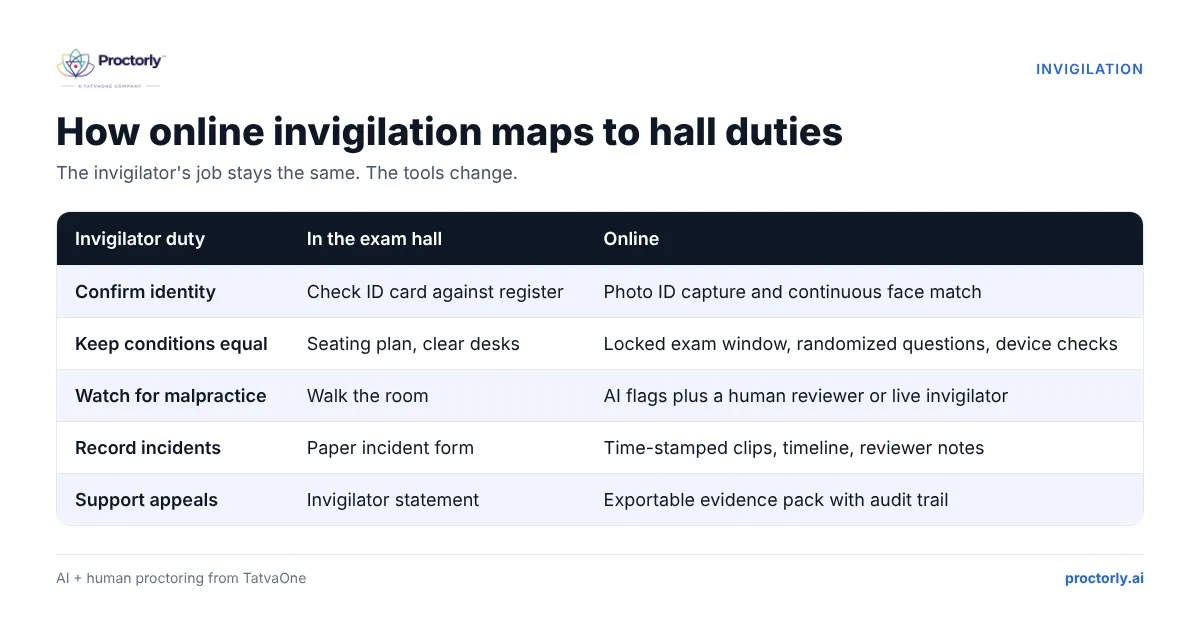
| Invigilator duty | In the exam hall | Online |
|---|---|---|
| Confirm identity | Check ID card against register | Photo ID capture and continuous face match |
| Keep conditions equal | Seating plan, clear desks | Locked exam window, randomized questions, device checks |
| Watch for malpractice | Walk the room | AI flags plus a human reviewer or live invigilator |
| Record incidents | Paper incident form | Time-stamped clips, timeline and reviewer notes |
| Support appeals | Invigilator statement | Exportable evidence pack with audit trail |
The four models of online invigilation
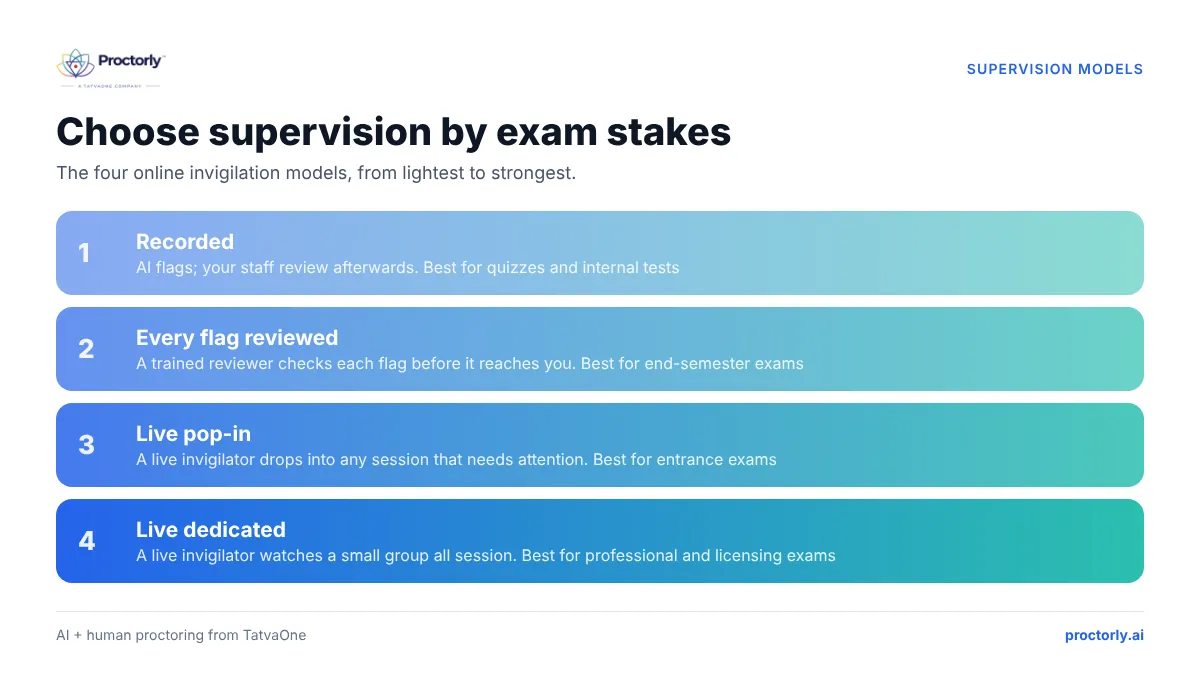
Proctorly calls these assurance levels and lets you set one per exam.
Recorded invigilation
Sessions are recorded and AI flags unusual moments. Your own trained staff review the cases afterwards. Good for quizzes and internal tests.
AI flags with human review
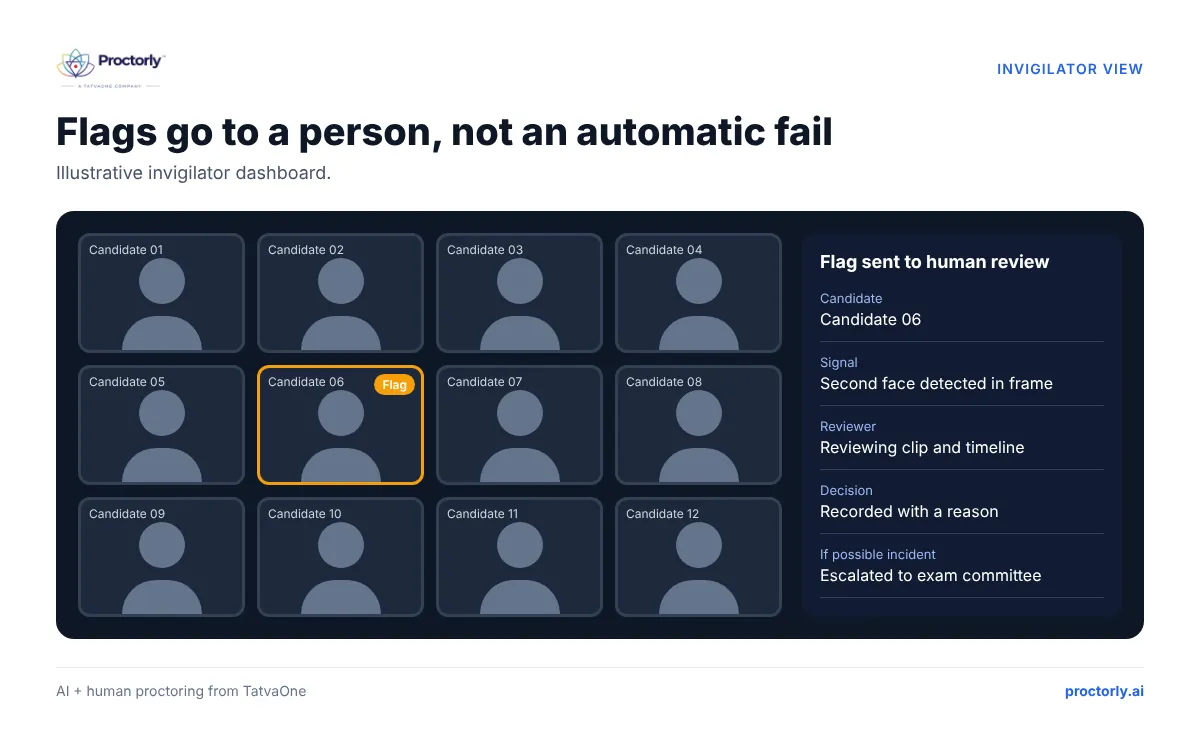
Every automated flag is checked by a trained Proctorly reviewer before it reaches you. Reviewers work at one per 40 candidates and clear 95 of every 100 flags within 5 minutes. A sensible default for end-semester exams.
Live pop-in invigilation
A live invigilator can drop into any session when something looks wrong, like an invigilator walking over to a desk. Useful for entrance exams and higher-stakes papers.
Live dedicated invigilation
A live invigilator watches a small group for the whole session, with a live identity check at the start. Suited to professional and licensing exams.
Compare the four models on a live exam. Book a Proctorly demo.
What exam controllers should look for
- A person behind every decision. AI should flag, not fail. Check that no automated flag can impose a penalty. Read why every flag needs a human decision.
- Per-exam settings. You should be able to run a light quiz and a strict final in the same system.
- Identity that runs throughout the exam, not only at login.
- Evidence your committee can use: clips, a combined timeline and reviewer reasons in one export.
- Low-bandwidth tolerance. Many students test on mobile data. Proctorly works at 512 Kbps down and 128 Kbps up.
- Data residency and privacy. Data should be hosted in your region with retention you control. Indian universities should check DPDP Act readiness (Proctorly DPDP guide).
- Exam office tools. Timetables, hall tickets, on-screen marking and results in the same platform save double entry. See Proctorly Examination.
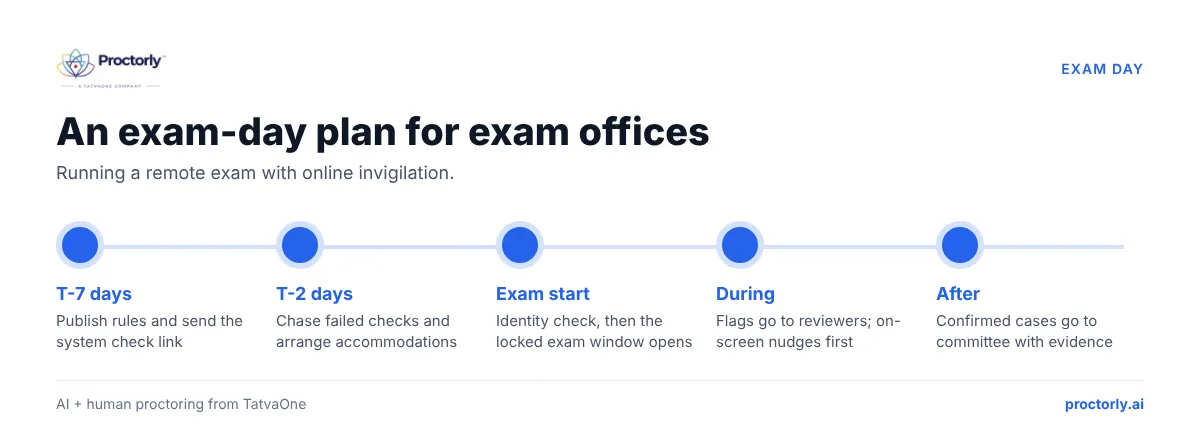
Running exam day with online invigilation
- T-7 days: publish candidate rules and send a system check link.
- T-2 days: chase candidates who failed the check; arrange accommodations.
- Exam start: candidates verify identity and enter the locked exam window; invigilators watch the live dashboard.
- During the exam: flags go to reviewers; on-screen reminders nudge candidates before issues escalate.
- After the exam: confirmed incidents go to your malpractice committee with the evidence pack. Everything else closes with a recorded reason.
People also ask
Is online invigilation the same as online proctoring? Yes. Invigilation is the term used in the UK, India, Malaysia and much of the Commonwealth; proctoring is the US term.
Can online invigilation detect ChatGPT? It can detect many known generative-AI tools, extra devices and remote-access apps, but no system catches every method. Human review fills the gap.
How many students can one online invigilator supervise? It depends on the model. Proctorly’s reviewers work at one per 40 candidates for flag review; live dedicated sessions use smaller groups.
FAQs
Does online invigilation work with Moodle?
Yes. Proctorly monitors Moodle quizzes through OAuth and LTI 1.3 and also supports Canvas and Blackboard. See Moodle integration.
Who makes the final malpractice decision?
Your institution. Proctorly reviewers record whether there is no incident or a possible incident to escalate. Confirmed cases go to your committee.
Can we use our own staff as invigilators?
Yes. At the Recorded level your staff review cases in the same console. Book a meeting to plan staffing.
Is student data used to train AI?
No, not unless your institution opts in. Data is hosted in your region by default.
Invigilate online with confidence
Online invigilation lets you run exams for students wherever they are, without giving up the standards your hall invigilators uphold. Choose the model per exam, keep people in charge of decisions and give your committee clear evidence. Learn more about Proctorly for university exams.
Ready for your next exam cycle? Book a Demo or Book a Meeting.