

Key takeaways
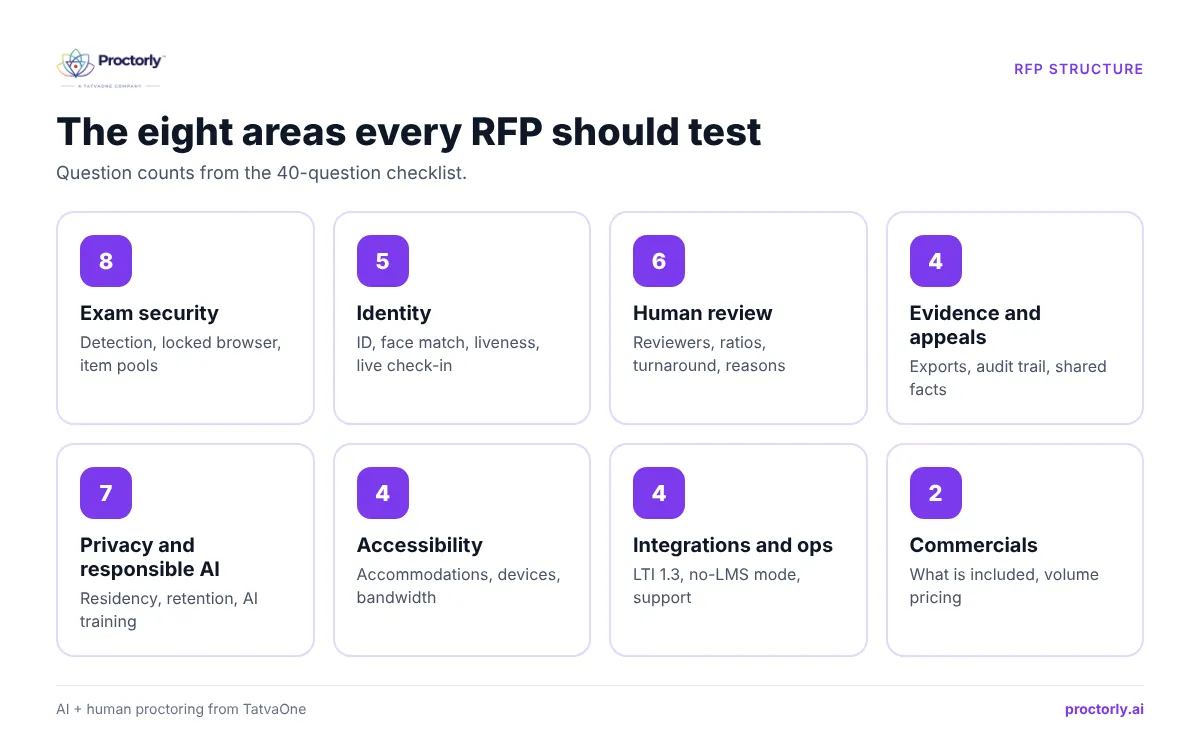
- A good online proctoring RFP tests eight areas: security, identity, human review, evidence, privacy, accessibility, integrations and commercials.
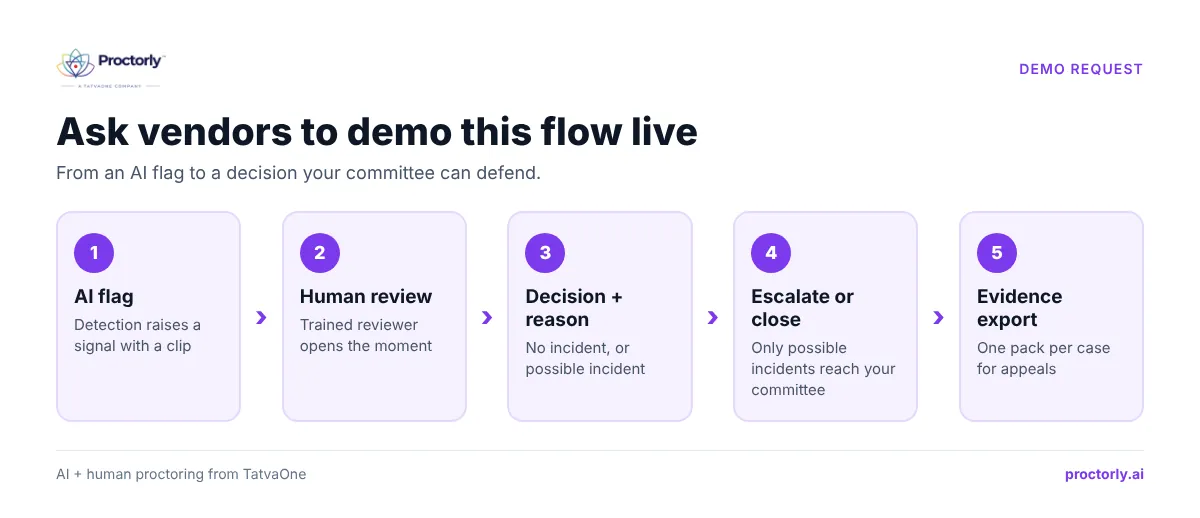
- Ask vendors to show, not tell: request a live demo of a flagged case moving from detection to decision.
- Weight human review, evidence and privacy heavily. They decide whether your outcomes survive an appeal or audit.
- Ask vendors what they cannot detect. Honest limits are a sign of a mature product.
- Run a paid pilot on one real exam before signing a multi-year contract.
Most proctoring RFPs are copied from an older tender, with a long list of features and a box marked ‘Yes/No’. Every vendor ticks every box. The decision then comes down to price and a slick demo, and the real problems (unreviewed flags, appeals with no evidence, students who cannot connect) show up in the first exam week.
This checklist is built to separate the vendors who can run your exams from the ones who can only describe them.
Short on time before a tender deadline? Book a meeting and we will walk through these questions with your team.
What should an online proctoring RFP include?
An online proctoring RFP should cover exam security and detection, identity verification, how flags are reviewed and decided, evidence for appeals, data privacy and residency, accessibility, integrations with your LMS or exam system, and pricing. Each section should ask vendors to demonstrate the capability, state its limits and say what is planned rather than live.
Before you write the RFP
- List your exams by stakes. Quizzes, end-semester, entrance, certification. Requirements differ by type.
- Decide who reviews flags. Your staff, the vendor, or both. This changes price and staffing.
- Know your rules. Data protection law (for example the DPDP Act in India or GDPR in Europe), accreditation requirements and your malpractice policy.
- Map your stack. LMS, student information system, exam management tools, single sign-on.
- Involve students and disability services early. EDUCAUSE sessions on proctoring have long highlighted privacy and accessibility as the issues that drive campus concern (EDUCAUSE).
The 40-question checklist
Exam security and detection (8)
- Which threats do you detect: second devices, extra monitors, remote-access and screen-sharing apps, virtual machines, browser extensions, known generative-AI tools?
- Do you provide a locked exam browser, and on which operating systems?
- Is there an optional desktop agent for deeper checks, and what does it access?
- Can questions be randomized and drawn from pools?
- How do you handle detection on low-end devices and weak connections?
- What do you explicitly not detect?
- How are detection models tested for fairness across skin tones, lighting, devices and disabilities?
- How do you update detection as new cheating tools appear?
Identity verification (5)
- Do you verify identity only at login, or continuously?
- Do you capture photo ID, and can we make it optional per exam?
- How do you reject photos or videos held up to the camera (replay or liveness)?
- Can a live proctor perform check-in for high-stakes exams?
- Is a failed identity check ever an automatic fail?
Human review and decisions (6)
- Is every automated flag reviewed by a person? At which service levels?
- Who are the reviewers, how are they trained, and what is the reviewer-to-candidate ratio?
- What is your flag review turnaround during exam windows?
- Must reviewers record a reason for each decision?
- Can an automated flag ever fail a candidate or trigger a sanction?
- Can our own staff review cases in the same console?
Evidence and appeals (4)
- What does an evidence pack contain, and can it be exported per case?
- Is the audit trail tamper-evident?
- Can the candidate see the same evidence as the committee during an appeal?
- How are technical failures separated from integrity issues?
Privacy, data and responsible AI (7)
- Where is data hosted, and can we choose the region or our own storage?
- Who sets retention periods for recordings and ID images?
- Is candidate data used to train AI models?
- Do you infer emotion, personality or intent from faces or voices?
- Which subprocessors handle our data?
- Which security certifications or audits can you share?
- How do you support our obligations under local law (DPDP, GDPR, FERPA)?
Accessibility and candidate experience (4)
- How do you support screen readers, extra time and other accommodations?
- Are assistive tools and disability-related movement excluded from misconduct flags?
- What are the minimum device and bandwidth requirements?
- Do candidates get a system check and practice exam before test day?
Integrations and operations (4)
- Which LMS platforms do you support, and do you use LTI 1.3? (The 1EdTech LTI Proctoring Services standard is a useful reference.)
- Can you run exams without an LMS?
- What support do you provide during exam windows, and in which hours and languages?
- Can you support exam office tasks such as timetables, hall tickets and results?
Commercials (2)
- What is included in the price: human review, live sessions, integrations, support?
- How is pricing affected by exam length and volume changes?
See how Proctorly answers all 40 on a live exam. Book a Proctorly demo.
A weighted scoring matrix
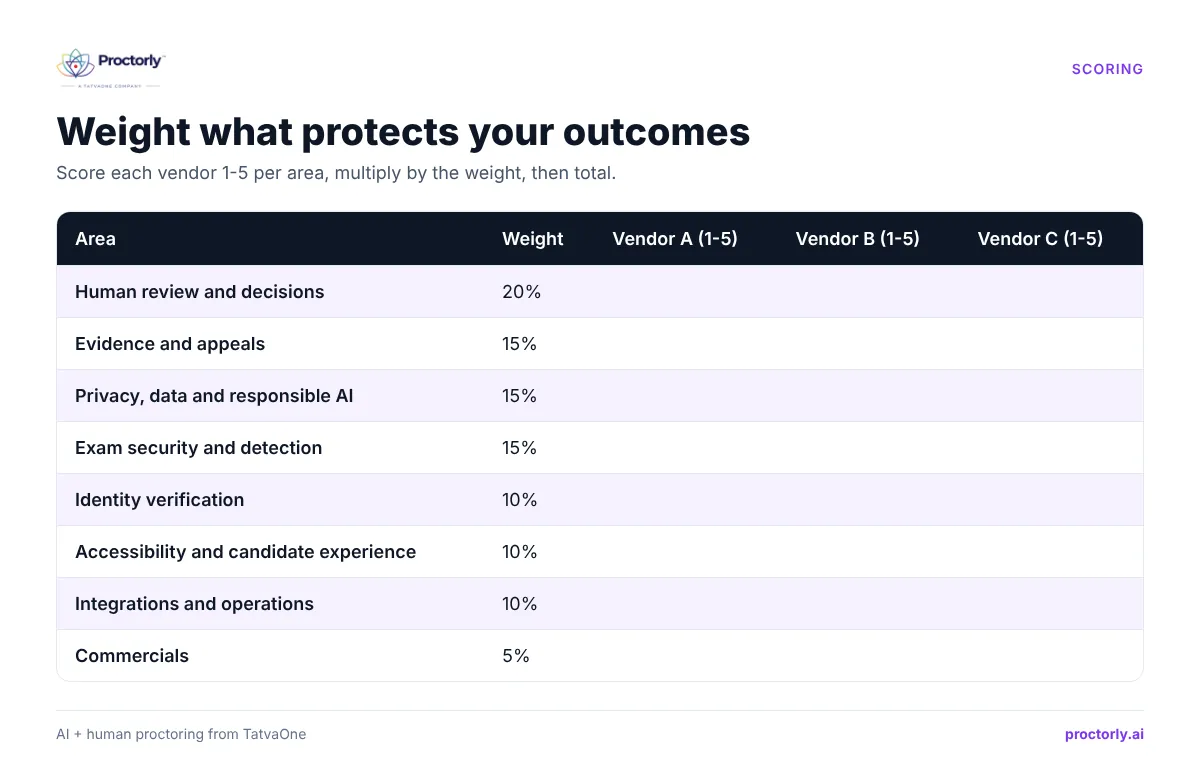
Score each vendor 1-5 per area, multiply by the weight and total.
| Area | Suggested weight |
|---|---|
| Human review and decisions | 20% |
| Evidence and appeals | 15% |
| Privacy, data and responsible AI | 15% |
| Exam security and detection | 15% |
| Identity verification | 10% |
| Accessibility and candidate experience | 10% |
| Integrations and operations | 10% |
| Commercials | 5% |
Price is weighted low on purpose. Its true impact shows up in review effort and appeals; see our breakdown of online proctoring cost (link once Post 4 is live).
Red flags in vendor answers
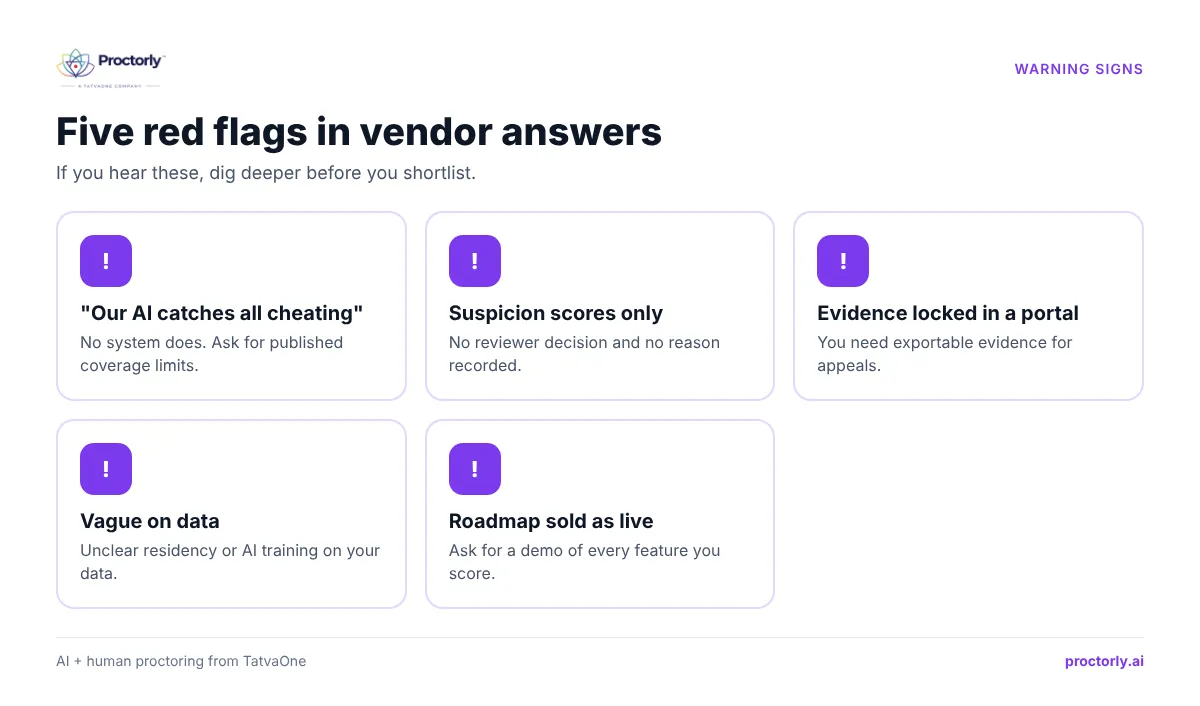
- ‘Our AI catches all cheating.’ No system does. Proctorly publishes its coverage limits.
- A ‘suspicion score’ with no reviewer decision or reason.
- Evidence that is only viewable inside the vendor’s portal.
- Vague answers on data residency or AI training.
- Features described as live that are only on the roadmap. Ask for a demo of each.
People also ask
What are the criteria for choosing online proctoring software? Security, identity, human review, evidence, privacy, accessibility, integrations and total cost.
How long does a proctoring procurement take? Commonly a few months from RFP to pilot. Plan around your exam calendar.
Should we pilot before buying? Yes. One real exam with real students reveals more than any demo.
FAQs
Can we use this checklist as our RFP template?
Yes. Copy the 40 questions into your tender and ask vendors to answer each with ‘live’, ‘planned’ or ‘not supported’, plus evidence.
How does Proctorly answer the human review questions?
Every flag is reviewed by a trained person at one reviewer per 40 candidates, 95 of every 100 flags within 5 minutes, and no automated flag can fail a candidate. See human review.
Does Proctorly publish its security and privacy details?
Yes, in the Trust Center, including security, privacy, responsible AI, accessibility and subprocessors.
Can Proctorly support a pilot during our evaluation?
Yes. Book a meeting to scope a pilot on one exam.
Shortlist with confidence
The best RFPs ask vendors to prove claims, state limits and show a flag moving from detection to decision. Use these 40 questions, weight what protects your outcomes, and pilot before you commit. Our guide to the best online proctoring software covers the wider market.
Evaluating vendors now? Book a Demo or Book a Meeting.